How to Add or Update Documents in Manav Sampada
Manav Sampada is a user-friendly HRMS (Human Resource Management System) portal used by various government departments. It allows employees to manage their service records, including personal details, leave history, and official documents. If you’re wondering how to add or update your documents in Manav Sampada, don’t worry. This guide will walk you through the process step by step.
Why It’s Important to Update Your Documents
Your documents are crucial for maintaining accurate records in the system. Updating documents like your educational certificates, marriage certificate, ID proofs, and others ensures that your profile is complete and up-to-date. This is important for promotion assessments, leave approvals, and other HR processes.
Steps to Add or Update Documents in Manav Sampada
If you need to add or update your documents, follow these simple steps:
What If You Need to Update an Existing Document?
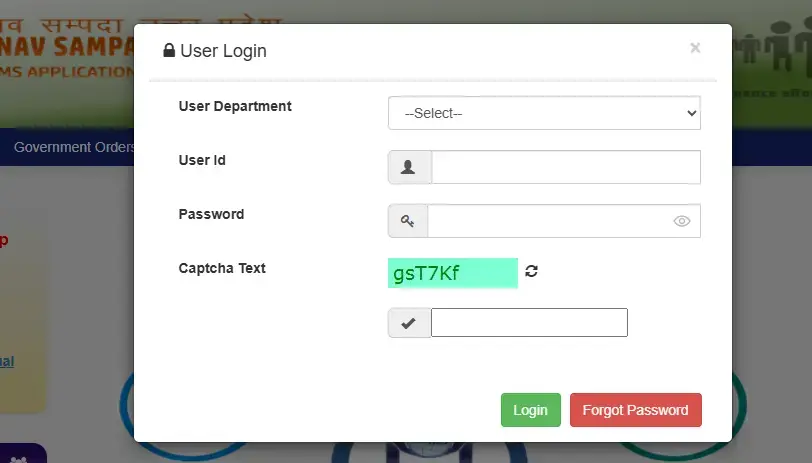
If you need to replace or update a document that’s already been uploaded (for example, a renewed ID proof), follow these steps:
Go to the “Documents” Section and find the document you want to update.
Click on the “Edit” or “Update” Option next to the document.
Upload the New Document just like you did during the initial upload.
Submit the Updated Document for approval.
Once the update is processed, the system will replace the old document with the new one. You can also read: Fixing Errors in Manav Sampada Leave Balance
Common Issues and How to Solve Them
Document Upload Failed:
This issue could be due to an unsupported file format or the document size being too large. Ensure the file meets the portal’s requirements.
Try using a different browser or clearing your browser’s cache if the issue persists
Document Not Showing After Upload:
Refresh your profile page and check again after a few minutes. Sometimes, it takes time for documents to appear in the system.
If the issue continues, contact your HR department to ensure the document has been successfully uploaded
Unable to Find the Document Type:
If you can’t find the category for the document you wish to upload, it’s possible that the category isn’t available in your profile.
In this case, contact your department’s HR team for assistance
Tips for Successfully Uploading Documents
(FAQs)
Final Thought:
Adding or updating your documents in Manav Sampada is a straightforward process. Just ensure you follow the steps carefully, and your documents will be uploaded and approved in no time. If you encounter issues, don’t hesitate to contact your HR department for help. By keeping your documents up-to-date, you ensure that your records are always accurate and ready for any future administrative requirements.