Troubleshooting Manav Sampada Service Book Issues
Imagine you — a government employee — log into Manav Sampada (the eHRMS portal many Indian states use) to check your “service book” (your official employment record), and … nothing shows up. Or wrong data appears. It’s frustrating. But hey — don’t panic. Many people face this. Here’s how to fix it (and avoid it next time).
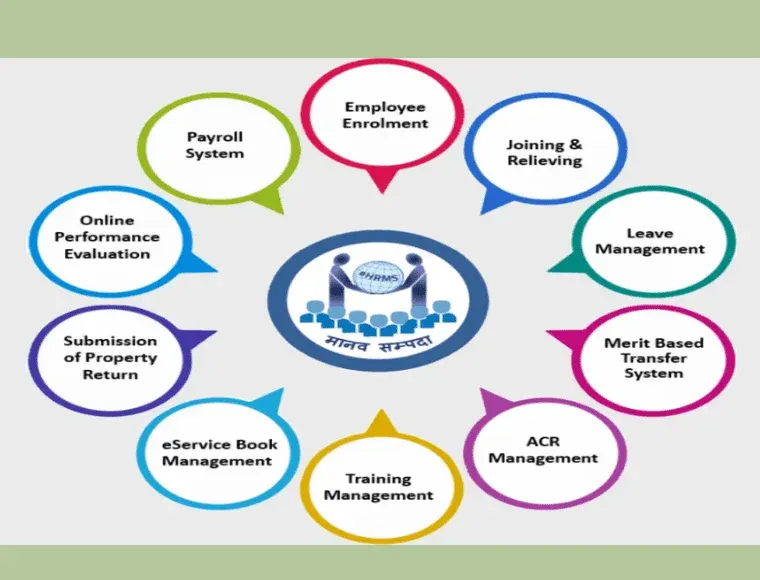
What is “Service Book” on Manav Sampada — and why it matters
Common Problems People Face with Service Book
Here are the frequent issues users report:
How to Fix or Troubleshoot Service Book Issues — Step by Step
If you face any of the above problems, try this checklist — step by step:
Check correct login and credentials
Make sure you are logging with the correct employee code/user ID and password.
Sometimes browser issues or outdated cached data cause portal to misbehave — try logging out, clearing browser cache, or switching browser (e.g. use Chrome, Firefox, or updated browser version)
Verify that your master data is correctly entered by establishment office
Many fields (joining date, past postings, personal details) are entered by your department’s HR/establishment branch — if they forgot or made mistake, nothing will reflect for you.
Contact your establishment unit (in your office) and ask them to confirm that your service record (master data) is correctly uploaded in Manav Sampada
Use official “View Service Book / e‑Service Book” tool (not some random site)
There’s an official view page for service book records under eHRMS — using that ensures you pull data from the main database.
Avoid third‑party PDF “service‑books” unless they quote official data — those may be outdated or incomplete
If using mobile app — refresh data or re‑login
Many states have companion mobile apps for eHRMS / Manav Sampada; sometimes data doesn’t sync properly. Try logging out and logging in again, or press “refresh / sync” button in app settings.
If still wrong, try browser version (desktop) for accurate view.
If data is wrong or missing — submit correction request
Service book corrections (wrong DOB/name, missing transfer history, incorrect pay scale, etc.) require establishment office intervention. There’s a “correction format” for service book updates.
Fill the correction form (with correct details) and submit through proper channel (office or HR branch) — not via random comment or user‑level edit.
Test after 24–48 hours — sometimes processing delay happens
After correction request your department may need time to update master database; wait for a working day or two, then clear cache and check again.
Keep screenshot or print‑out of initial error (for backup)
If portal shows blank or incomplete — take screenshot or save a pdf (if possible). This helps when you approach admin/establishment or if you need evidence to get corrections.
Tips & Good Practices for Smooth Service Book Access
What to do If Nothing Works — Fallback Plan
If after all these steps your service book still shows blank or wrong details:
(FAQs)
Final Thought:
Your service book is your official identity as a government employee — it matters for seniority, leave history, pay scale, promotions, pensions, and more. So taking a few extra steps to ensure it’s correct and accessible is worth the effort.
If you want — I can also write a ready‑to‑copy “Service Book Correction Request Letter Template” (for employees to send to their HR/establishment office). That might help many people who struggle. Want me to build that template for you now?