Manav Sampada: How to Fix Salary Slip Visibility Issues
If you’re unable to view or download your salary slip on the Manav Sampada portal, it can be frustrating, especially when you need it for financial planning or official purposes. Fortunately, there are several common reasons for this issue, and most of them can be resolved easily. Here’s a step-by-step guide on how to fix salary slip visibility issues.
Common Reasons for Salary Slip Visibility Issues
1. Incorrect Login Credentials
If you’re not logged in correctly, you won’t be able to access your salary slip.
- Solution: Ensure you are logging in with the correct Employee ID and Password. Double-check that you’ve entered the Captcha code correctly. If you’re having trouble logging in, use the Forgot Password feature to reset your login credentials.
Delayed or Missing Salary Slips
Sometimes, salary slips may not be uploaded yet, especially if it’s close to the end of the month.
- Solution: Wait a few days for the system to update. If you still don’t see your salary slip, check with HR to ensure that the salary slip has been uploaded to the portal.
Browser Issues
Browser-related issues can sometimes prevent your salary slip from loading or displaying correctly. This can include outdated browsers or cached data.
Solution:
Missing or Incorrect Personal Information
If your personal information (like your department, designation, or pay grade) is not updated in the system, the salary slip may not be generated or displayed correctly.
- Solution: Contact your HR department to ensure your personal details are updated in the system. HR can assist in updating your records, which may resolve the visibility issue.
System or Portal Maintenance
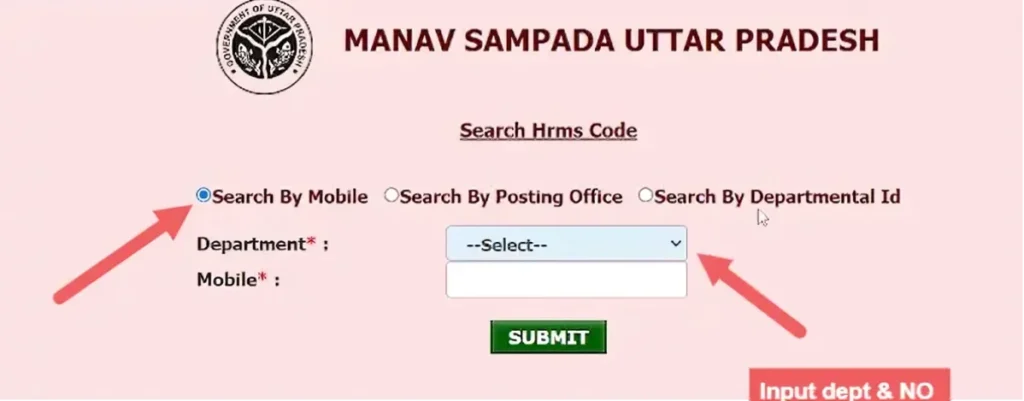
Occasionally, the Manav Sampada portal may be undergoing maintenance or facing technical issues, which could prevent salary slips from displaying.
Solution:
Step-by-Step Guide to Fix Salary Slip Visibility Issues
Step 1: Log in to the Manav Sampada Portal
Go to the Salary Slip Section
After logging in, navigate to the Salary Slip or Payroll section from your dashboard.
Click on Salary Slip to view the salary details for the relevant month.
Check for Correct Month and Year
Ensure you are viewing the correct month and year for your salary slip.
Some users may accidentally select the wrong month or year, leading to no visible salary slip.
Verify Your Information
If no salary slip appears, verify that your personal information (like department, pay scale, and designation) is accurate and updated in the system.
If anything seems off, reach out to your HR department to update your records.
Clear Browser Cache and Cookies
If the salary slip isn’t loading properly, follow these steps to clear your browser’s cache and cookies:
For Google Chrome:
For Mozilla Firefox:
Contact HR or IT Support
If the issue persists after following the above steps:
Contact your HR department to confirm that your salary slip has been uploaded.
If there’s a technical issue with the portal, contact IT support for assistance. They can help you troubleshoot any portal-related issues.
Frequently Asked Questions
Final Thought:
If you’re having trouble viewing your salary slip on the Manav Sampada portal, the solution is usually simple. By following the troubleshooting steps outlined above, you can resolve most visibility issues quickly. If the problem continues, don’t hesitate to reach out to HR or IT support for further assistance.
Make sure your personal details are up-to-date and always use the most compatible browsers to avoid technical problems. Keeping these steps in mind will help you access your salary slip without hassle every month!