Manav Sampada Mobile App vs Web Portal What’s the Difference
If you use Manav Sampada for HR tasks — like applying for leave, checking salary slips, or viewing your service history — you might be wondering whether to use the mobile app or the web portal. Both versions let you access your information, but they work a bit differently.
Let’s break it down so you can choose what works best for you.
What Is Manav Sampada?
Manav Sampada (also called eHRMS) is the electronic Human Resource Management System used by many Indian government departments for employee services like leave, attendance, transfers, service book, and more. It’s available as a web portal and as a mobile app.You can also read:How to Update Your Profile on Manav Sampada in 2026
Manav Sampada Web Portal (Browser)
Main Features
The web portal is the full, original version of Manav Sampada. It’s powerful and designed for a complete HR experience.
You can:
This version shows all available modules and menus, which means you get a complete picture of your HR records and services.
Manav Sampada Mobile App
Main Features
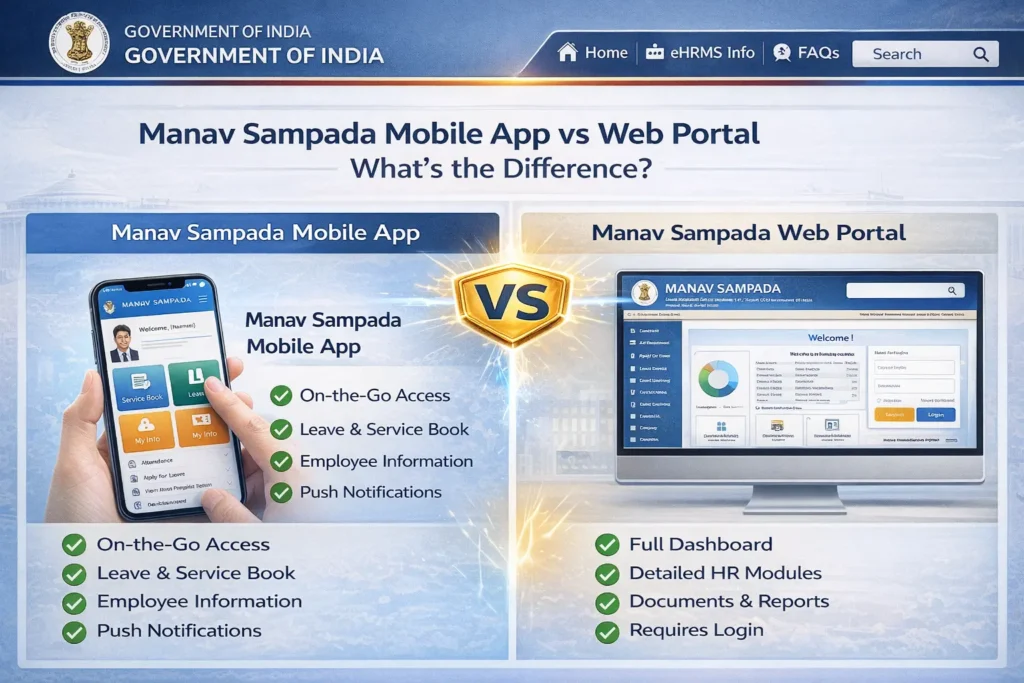
The mobile app version is a lightweight, on‑the‑go way to use Manav Sampada services from your phone or tablet. It was created by National Informatics Centre (NIC) for employees who need quick access.
With the app, you can:
The app also lets you use features like biometric login on some devices and push notifications for status updates, so you get alerts about leave approvals or orders right on your phone.
Key Differences: App vs Web
- Web Portal: Best used on desktops or laptops — bigger screen, full menus, complete features.
- Mobile App: Designed for phones and tablets — quick and convenient while you’re on the move
- Web Portal: Most comprehensive — all HR modules are available here.
- Mobile App: Many core features are included (leave, service book, cancel leave), but some advanced functions (like detailed reports or property return filing) might only be on the web
- Web Portal: Good for detailed tasks like reviewing records or applying forms with many fields.
- Mobile App: Great for quick tasks like checking balances, applying leave, or viewing approvals
- Web Portal: You may get updates when you log in, but no direct push alerts.
- Mobile App: You can receive push notifications (if enabled), so you’ll know right away when something changes
Both versions need an active internet connection, but:
- The mobile app might cache some data for offline viewing (like downloaded documents or history).
- Portal features work best in full internet coverage without interruptions
Which One Should You Use?
Here’s a quick guide:
Use the Web Portal when you want:
Use the Mobile App when you want:
Most people find the app great for everyday tasks and the web portal best for deeper work like detailed updates or reviewing full service records.
Tips for Best Experience
Final Thought:
Both the Manav Sampada mobile app and the web portal serve the same purpose — helping government employees access HR tools easily. The main differences are in how you use them and what features are available at a glance.
Think of the mobile app as the quick, handy version, and the web portal as the complete workspace. Depending on your needs at the moment — quick leave check, submitting forms, viewing salary slips — you can choose the best one.