How to Ensure Manav Sampada Portal Works on Your Browser
Using the Manav Sampada portal should be smooth and straightforward. But sometimes the portal doesn’t load, buttons don’t work, pages freeze, or features don’t open. These kinds of problems are usually related to your browser — not the portal itself.
This guide will walk you through easy steps to make sure Manav Sampada works on your browser every time. No big words. Just what you need to do in simple steps.

Common Browser Issues with Manav Sampada
Before we fix the problem, it helps to know what usually goes wrong:
Most of these happen because of browser settings, cache, or outdated software.You can also read:How to Avoid Leave Rejection on Manav Sampada Portal
Step‑by‑Step: How to Make the Portal Work on Your Browser
1. Use a Compatible Browser
First, make sure you are using a browser that works well with the portal.
Try using the latest version of one of these:
These browsers are more reliable and update often, which helps the portal load correctly.
If you’re using an old or unsupported browser, pages may break or features may not respond.
Clear Your Browser Cache and Cookies
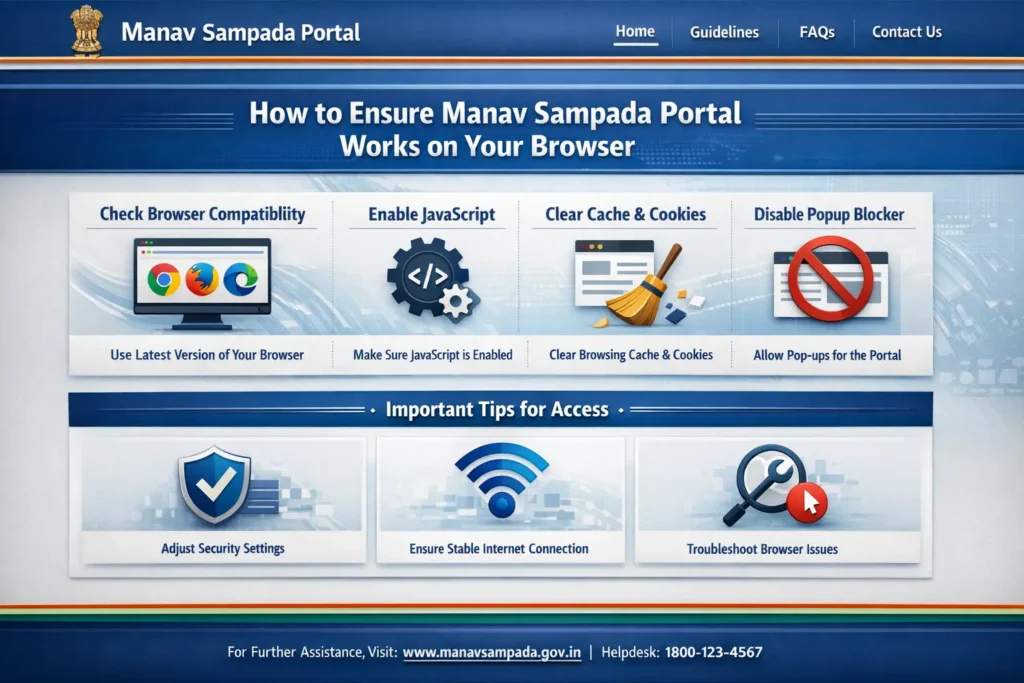
Your browser stores temporary files so sites load faster over time. But sometimes old files cause problems.
Here’s how to clear cache and cookies:
After clearing, close the browser and open it again. Then log in to the Manav Sampada portal.
This step often fixes the most stubborn issues.
Enable JavaScript and Cookies
The Manav Sampada portal needs JavaScript and Cookies to work right. If they are disabled, pages may not load fully.
To check:
Enabling these lets the portal run smoothly.
Turn Off Browser Extensions
Sometimes add‑ons or extensions (like blockers or privacy tools) stop pages from working correctly.
Try turning them off temporarily:
If it works, you can turn extensions on one by one to find which one was causing the issue.
Update Your Browser
If your browser is out of date, features on the portal might not work.
Check for updates by going to:
Each update brings fixes and makes your browser more compatible with websites like Manav Sampada.
Try a Different Browser or Device
If the portal still doesn’t work on one browser:
• Try Chrome instead of Firefox
• Try Edge or another modern browser
• Try using a different device (laptop, desktop, or phone)
This is a fast way to check if the issue is specific to one browser or device.
Check Your Internet Connection
Slow or unstable internet can make pages freeze or load incorrectly.
• Switch to a better Wi‑Fi connection
• Try mobile data briefly
• Restart your router if needed
A strong connection helps the portal respond faster.
Tips to Avoid Browser Issues
Always keep your browser updated.
Old versions often fail to display modern web features.
Close unused tabs.
Too many open tabs can slow the browser and cause problems.
Avoid private or incognito mode.
Some portal features don’t work well in those modes
Log out properly after use.
This helps session data clear and keeps login smooth next time
Frequently Asked Questions
Final Thought:
Making sure the Manav Sampada portal works on your browser doesn’t have to be confusing. Most problems are simple to fix once you know what to check.
By using a modern browser, clearing cache, enabling JavaScript, and turning off conflicting extensions, you’ll fix most issues quickly. And if one browser doesn’t work, switching to another often solves the problem in minutes.
Take a few minutes to follow the steps above — it will save you time and frustration when using the portal for leave applications, service history, or other important tasks.
Next time the portal seems slow or unresponsive, try these steps before assuming it’s a system error. You might be surprised how quickly it starts working again.